

new Samsung earbud replacement
If you’re asking, “How do I pair a new Samsung earbud replacement with the old one?” you are not alone. Many Samsung users face the situation of needing to replace just one earbud, whether due to loss, damage, or malfunction. Fortunately, Samsung allows you to buy a single replacement earbud, which can then be paired with your existing one, restoring the full stereo experience without purchasing a completely new set.
The first step in pairing a new Samsung Earbud replacement with your old one is to ensure that both earbuds are fully charged. Most Samsung earbuds come with a charging case, and it’s recommended to place both the old and new earbuds in the case for a few minutes before attempting to pair them. This ensures they have enough power and are ready to connect smoothly without any interruptions during the setup process.
Once both earbuds are charged, you can begin the pairing process. Typically, you will need to reset the old earbud first to allow it to recognize the new one. This can be done by holding the touch-sensitive area or button on the earbud for several seconds until the LED indicator flashes, signaling that it’s ready for pairing. After resetting, remove both earbuds from the case and follow the on-screen instructions provided in the Samsung Wearable app or user manual. The app will guide you through the process, ensuring that the old and new earbuds connect seamlessly.
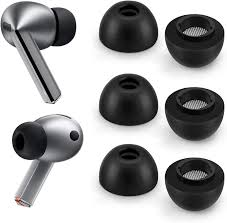
How do I pair a new Samsung earbud replacement with the old one?
When pairing a Samsung Earbud replacement with the old earbud, it’s essential to be patient and follow the prompts carefully. In some cases, the earbuds may not connect immediately. If this happens, placing both earbuds back in the charging case for a few seconds and repeating the reset process usually solves the issue. Once paired, the earbuds should automatically sync with each other and with your connected device, maintaining stereo balance and high-quality sound.
Another key point is to make sure that your Samsung device has the latest software updates installed. Sometimes, outdated firmware can interfere with the pairing process. Updating your device ensures compatibility and may even improve overall sound quality and connectivity stability. The Samsung Wearable app also allows you to manage settings, check battery levels, and update firmware, making it easier to maintain your earbuds after pairing a replacement.
It’s worth noting that pairing a new Samsung earbud replacement with the old one is designed to be user-friendly. Samsung engineers have created the earbuds so that each unit can operate independently if needed, but when paired correctly, they provide the full stereo experience. This means that even if you replace only one earbud, you won’t lose any functionality or sound quality.
In conclusion, knowing “How do I pair a new Samsung earbud replacement with the old one?” is crucial for anyone looking to maintain their earbuds without buying an entirely new set. By charging the earbuds, performing a reset, and following the instructions via the Samsung Wearable app, you can pair a new Samsung Earbud replacement with your old one seamlessly. This approach saves money, ensures uninterrupted audio performance, and keeps your earbuds working efficiently for daily use.


